Com Channels
Com Channels is the built-in communication channel for user-defined messages between the Player and Streamer. The messages are sent over all available links that have been configurated. The protocol used is UDP so the Com Channels have the same limitations as all other UDP messages. Messages can be sent and received both asynchronously and synced to the application frame rate.
The Com Channels are used through the Voysys Plugin SDK, please contact your Voysys representative for price and access.
Link
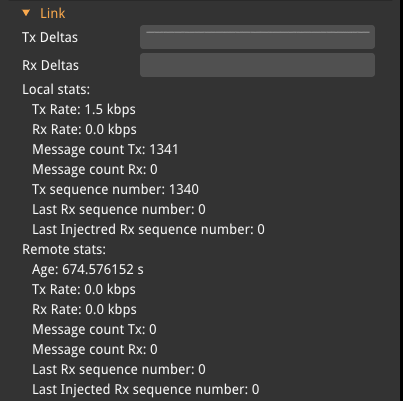
This tab shows all statistics about the Com Channels messages, this includes the number of transmitted/received messages, send rate, last received message, etc.
Message Queues
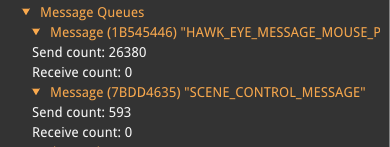
Multiple different messages can be received and sent at the same time, either through different plugins or the same. This tab shows all the different messages that are sent/received and how many of each. The message type will be shown with its identifier. The message name is shown on the sender side.
Advanced
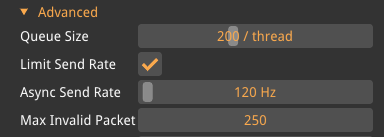
For some more advanced use cases, these settings might need to be tuned to make sure that the com channels work properly, but in most use cases the default values will work.
- Max Packet Size
-
Set the max size, in bytes, of the UDP packet that contains the com channel messages. Default 1400 bytes, range 256–2047.
- Queue Size
-
There can be multiple threads listening to Com Channel messages. The minimum number of listeners is one, this is the synchronous listener. Each asynchronous listener will be using its own thread. All messages are distributed to all listeners and each listener has a queue size. This value sets the maximum number of messages that each queue can have. Default 512 per thread, range 1–1024. The synchronous queue will be cleared each frame, however, for asynchronous listeners, it is the thread’s responsibility to empty the queue.
- Limit Send Rate
-
When enabled it will limit how often an asynchronous message send queue can be flushed with the value set in the
Async Send Rate. - Async Send Rate
-
How often an asynchronous message queue can be flushed, in Hz. Default 120 Hz, range 1–10000.
- Max Invalid Packets In A Row
-
Messages that have timestamps older than previously received are discarded. This setting sets how many messages in a row must be received before it starts to accept those timestamps as the correct ones. Default 25. One case when this can occur is if one Player is connected to one Streamer, the Player disconnects and another Player on a different PC connects to the Streamer. The Streamer will disregard the messages until it has gotten more than
Max Invalid Packets In A Rowmessages in a row and no valid message has arrived forBurst Grace Period. - Burst Grace Period
-
The grace period from last valid message until we will act on the "Max Invalid Packets In A Row". This will guard against bursts of message on one link where the messages has been buffered.
If only synchronous messages are used and the frame rate is low, it could be a good idea to lower Max Invalid Packets In A Row, since otherwise it can take a while before messages get through, which can confuse the user. Burst Grace Period adds to the time it takes to swap between vehicles.
|